

SEO Content Software: Plan, Write, and Publish
A content calendar often breaks between the approved keyword and the published URL. Research sits in one tool, drafts pile up in documents, and someone still has to format every article in WordPress.
The right SEO content software fixes that workflow, not just the drafting step.
Quick answer: how to use SEO content software
Use this seven-step process to turn search opportunities into published, measurable pages:
- Audit existing pages and identify content gaps.
- Group related keywords by search intent.
- Create a brief for one primary URL per topic.
- Produce a draft grounded in site and competitor research.
- Review claims, links, structure, and search intent.
- Publish directly to your CMS with the correct metadata.
- Measure indexing, rankings, and conversions before updating the page.
Rankdesk supports this complete loop by researching your site, competitors, and keywords, then creating articles and landing pages for review or automatic publishing.
What SEO content software should actually do
Many products generate text. That is only one part of SEO production.
Useful SEO content software should connect research, page planning, writing, quality control, publishing, and measurement. If the output still needs to be copied into a document, reformatted in WordPress, assigned a slug, and manually linked, the operational bottleneck remains.
Consider a hypothetical ecommerce site selling home espresso equipment. It already has /collections/espresso-grinders and several product pages, but it does not rank for buyers comparing grinder types. The team plans a guide at /blog/conical-vs-flat-burr-grinders.
A basic writing tool can draft that article. A complete system should also identify the existing collection page, avoid targeting the same query on two URLs, suggest relevant internal links, prepare the metadata, and move the approved page into the publishing system.
That is the practical standard to use when comparing products. Draft quality matters, but workflow coverage usually determines whether content gets published consistently.
How to set up SEO content software around search intent
Start with the website, not a long keyword export. List the pages that already receive impressions, the commercial pages that need support, and the topics where the business has genuine expertise.
For the espresso store, the broad phrase “espresso grinder” belongs on a collection page. A comparison between conical and flat burr grinders needs its own educational article. A query about choosing a grinder for a specific machine might support a separate buying guide.
Export the last 90 days from Google Search Console first. Its Performance report documentation explains how to inspect queries, pages, countries, and devices. Look for URLs receiving impressions across several different intents. Those pages may need clearer targeting before you add more content.
Then build a small topic cluster:
- A commercial collection page for espresso grinders
- A conical versus flat burr comparison
- A grinder size and adjustment guide
- A guide to pairing grinders with espresso machines
- Product-specific setup and maintenance pages
Assign one main intent to each URL. Do not generate ten slight variations of the same comparison. They are likely to compete with one another, and each thin page will be harder to maintain.
For a deeper operating model, use this practical automated SEO content workflow to define approval points before increasing volume.
How SEO content software creates a useful brief
A useful brief tells the system what the page must accomplish, where it belongs, and what evidence is available. It should not dictate every heading based on the current top ten results.
For /blog/conical-vs-flat-burr-grinders, the brief should identify the reader as a buyer who understands basic espresso terminology but does not know which burr design fits their routine. The page needs to explain grind distribution, adjustment, retention, noise, maintenance, and price trade-offs without declaring one design universally better.
Add business-specific source material. That could include product specifications, staff notes about calibration, return-policy details, and links to grinder collection pages. This gives the draft information that generic search-result summaries cannot provide.
Competitor research still helps. Use it to detect missing questions and expected page formats, not to reproduce another site’s outline. The guide on using competitor research during content production explains how to separate useful coverage analysis from imitation.
Follow Google’s SEO Starter Guide when setting basic expectations for descriptive titles, logical site structure, internal links, and content that serves readers first.
How to use SEO content software with WordPress
Once the brief is approved, create the draft and review it against the source material. Check every technical statement. For the grinder example, a claim that flat burrs always produce better espresso would fail review because burr geometry, alignment, motor performance, and user preference all affect the result.
Review the page in this order:
- Confirm that it answers the intended buying question.
- Remove unsupported specifications and absolute claims.
- Check links to products, collections, and related guides.
- Write a specific title tag and meta description.
- Confirm the slug and canonical destination.
- Preview headings, tables, and mobile formatting.
Then send the article to WordPress as a draft or publish it according to the team’s approval policy. Rankdesk lists WordPress among its supported publishing integrations, alongside Shopify and Lovable.
WordPress supports programmatic post creation through its official REST API posts endpoint. A reliable publishing connection should preserve the title, body, status, slug, excerpt, and other mapped fields rather than pasting unstructured HTML into the editor.
For teams building their own connection, this explanation of how Google finds and processes pages is a useful reminder that publishing a URL is not the same as earning visibility.
Publish the grinder comparison as a draft first. Check the live preview, then schedule it. Automatic publishing is appropriate after templates, field mappings, and review rules have been tested on several pages.
SEO content software comparison by workflow type
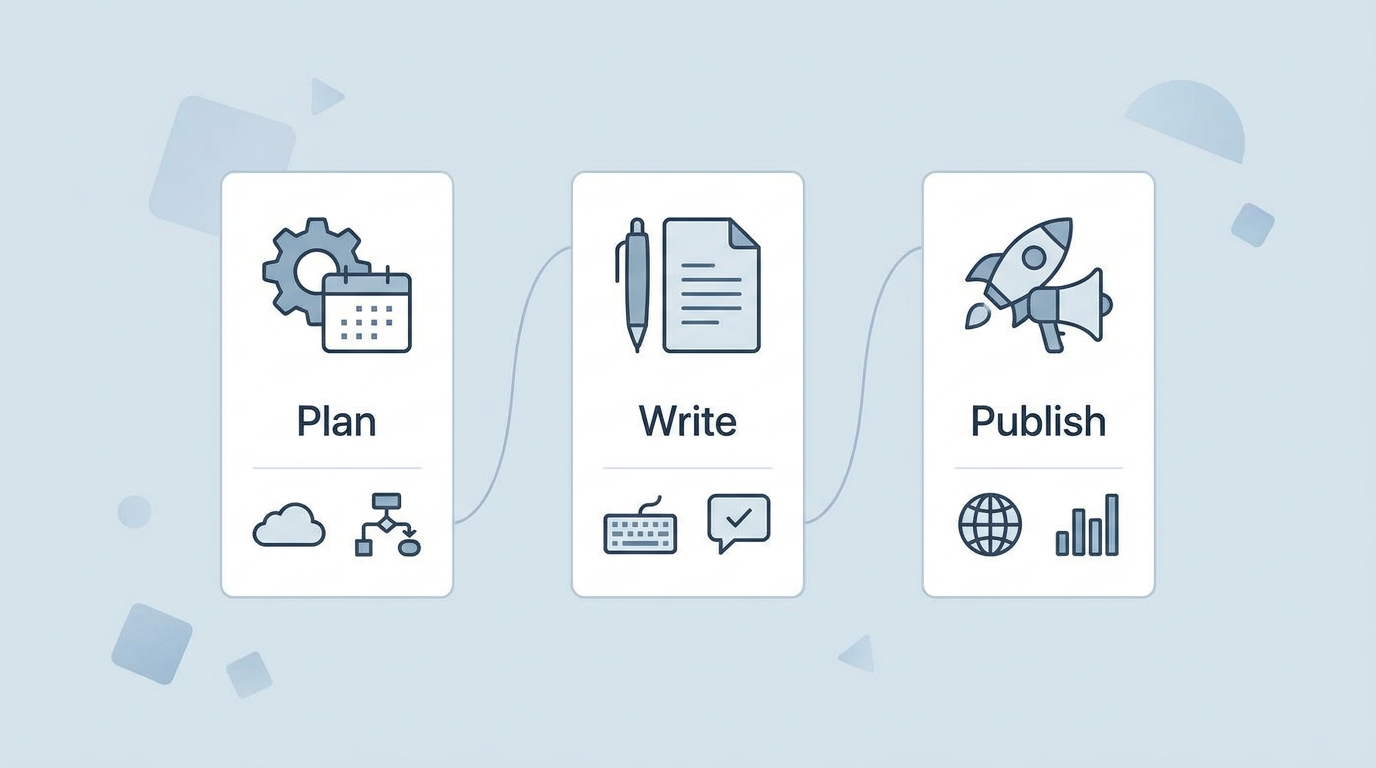
Products such as Outrank and RankPill may appear beside Rankdesk during evaluation. Compare the current publishing destinations, review controls, output types, and pricing on each vendor’s own site because those details can change.
| Workflow type | Research and briefing | Publishing | Best fit | Main trade-off |
|---|---|---|---|---|
| General writing assistant | Usually prompt-led | Copy and paste | Occasional drafts | More manual SEO and CMS work |
| SEO editor | Keyword and page recommendations | Often manual or limited | Teams with dedicated editors | Stronger guidance, extra handoffs |
| End-to-end SEO content software | Site, competitor, and keyword inputs | Direct CMS workflow | Consistent article production | Requires careful setup and review rules |
| Custom programmatic system | Fully configurable | Built by the team | Large, structured page sets | Engineering and maintenance cost |
For a direct product-level evaluation, the Rankdesk and RankPill comparison covers publishing, integrations, and workflow differences. Check the Rankdesk pricing page for its current plans before calculating cost per published page.
How Rankdesk handles the SEO content workflow
The do-it-yourself process works, but every handoff creates another place for work to stop. Rankdesk removes several of those handoffs in the same order a content team encounters them.
First, it researches the site, competitors, and keywords. That gives the system context about existing pages and relevant opportunities rather than treating each article as an isolated prompt.
Next, it creates search-focused articles and landing pages. For the espresso store, the requested output could be the comparison page at /blog/conical-vs-flat-burr-grinders, with the topic defined separately from the commercial grinder collection.
The team can then review the page. This is where a subject specialist checks technical claims, adjusts product references, and confirms that the recommendation reflects what the store actually sells. Review should be retained for regulated topics, unfamiliar subject areas, and pages containing detailed product claims.
Finally, Rankdesk can publish through a supported platform. With WordPress connected, the approved article moves into the CMS without another copy, paste, and formatting pass. Teams with stable templates can choose automatic publishing, while teams needing tighter control can keep a review step.
See the full sequence on the How Rankdesk works page. Agencies managing several approval processes can also use the agency content scaling guide to define where clients, editors, and specialists should intervene.
Can SEO content software help earn AI citations?
AI assistants tend to cite pages that provide direct, accessible, and supportable answers. No software can guarantee a mention in ChatGPT, Claude, or another answer engine.
The espresso comparison has a better chance of being useful as a source if it defines both burr types clearly, explains the trade-offs, uses descriptive headings, and supports claims with original product knowledge. A generic page that repeats common definitions offers little reason to cite it.
Keep important facts in crawlable page text. State who produced the content, update specifications when products change, and create internal links from relevant category and guide pages. The detailed guide to earning mentions from ChatGPT covers entity clarity, source quality, and content structure without promising automatic inclusion.
Common SEO content software mistakes
Publishing too much too quickly is the most common failure mode. Twenty overlapping pages create more cleanup work than five distinct pages tied to real customer questions.
Do not skip factual review because a draft reads smoothly. Fluent wording can hide incorrect specifications, invented examples, or advice that conflicts with the products being sold.
Avoid automatic publishing until the CMS mapping is proven. Test drafts, slugs, metadata, links, author fields, and formatting first. The content autopilot guide shows where to keep human checks while reducing repetitive production work.
Measure pages after publication. Track indexing, query impressions, clicks, and conversions. If the grinder comparison receives impressions for “best espresso grinder” but few clicks, the intent or title may be too broad. Update the existing URL rather than immediately generating another competing article.
SEO content software FAQ
Is SEO content software the same as a writing tool?
No. A writing tool mainly produces text. SEO content software should also support research, briefs, page targeting, internal linking, metadata, CMS publishing, and an update process.
Can SEO content software publish directly to WordPress?
Some products can. Confirm whether the connection creates drafts, supports automatic publishing, maps metadata correctly, and preserves formatting. Rankdesk supports WordPress publishing through its integrations workflow.
Should every article be published automatically?
No. Use review for high-risk claims, regulated subjects, new templates, and unfamiliar topics. Automatic publishing is better suited to a tested workflow with clear sources, stable formatting, and defined editorial rules.
Does automated SEO content rank on Google?
Automation does not determine ranking by itself. The page still needs to satisfy search intent, provide reliable information, fit the site structure, and earn sufficient authority. Automation improves production consistency, but it cannot replace a sound topic and a useful page.
Can I use SEO content software for landing pages?
Yes, provided the software can distinguish commercial intent from informational intent. Keep service, category, and product landing pages focused on evaluation or purchase. Use supporting articles for explanations, comparisons, and early-stage questions.
If you want a more consistent way to research, write, and publish search-focused pages, see how Rankdesk works. It creates articles and landing pages from site, competitor, and keyword research, then lets you review them or publish automatically. Read next: SEO Automation Software. Read next: Programmatic SEO Software: Plan, Create, and Publish Pages at Scale. Read next: AI Content Writer for WooCommerce: Plan, Write, and Publish. Read next: AI Content Writer for Ghost: Plan, Write, and Publish SEO Pages. Read next: Blog Automation Software: Plan, Write, and Publish.
Start auto-writing for your site today
Create a free account, connect your site and generate your first article in minutes. No credit card needed.