
AI Content Autopilot: How to Automate Publishing Without Losing Quality
August 18, 2026

A content team schedules twelve articles, then discovers that three target the same query, two cite claims without sources, and one was published with an unfinished title tag. Automation increased output, but it also multiplied preventable mistakes.
An AI content autopilot needs defined inputs, review gates, and publishing rules. Rankdesk supports this controlled approach by connecting research, article production, optimization, and publishing instead of treating each article as an isolated prompt.
Quick answer: How to build an AI content autopilot
Use this sequence to automate publishing without giving up editorial control:
- Define the site, audience, publishing platform, and topics the system may cover.
- Research search demand, competing pages, and evidence before drafting.
- Create a brief with search intent, required sections, exclusions, and internal links.
- Generate the article from the approved brief rather than a loose keyword prompt.
- Check search alignment, factual support, duplication, and on-page SEO.
- Route sensitive or high-value pages through a human review gate.
- Publish approved content to WordPress as a draft, scheduled post, or live article.
- Monitor indexing, rankings, citations, and decay, then update weak pages.
The rest of this guide applies those steps to a fictional lighting retailer, Northstar Fixtures, and its WordPress site at northstarfixtures.example. Its first target article is /blog/how-to-choose-under-cabinet-lighting, a commercial research guide supporting several product categories.
1. Define what your AI content autopilot is allowed to publish
Start with boundaries. A system that receives a list of keywords but no business context will often produce pages that are technically relevant and commercially useless.
Northstar Fixtures sells residential lighting in the United States. Its autopilot can create educational articles about installation planning, fixture selection, color temperature, energy use, and room-specific lighting. It cannot give electrical safety instructions that should come from a licensed electrician. It also cannot invent compatibility claims for products.
Those rules affect research and writing. An article may explain that hardwired under-cabinet lights usually require more installation work than plug-in models, but it should not provide jurisdiction-specific wiring instructions without verified sources and expert review.
Define the page formats too. A 1,600-word buying guide, a product-category introduction, and a local landing page should not share one template. Each has different evidence, conversion, and duplication risks.
For the first workflow, Northstar chooses WordPress and limits automated production to blog articles. Product pages remain outside the system because inventory, specifications, and merchandising copy require data that the editorial workflow does not control.
Set the initial pace below your maximum capacity. Publishing three reviewed articles each week produces better operational evidence than generating thirty and discovering the template has a structural flaw.
2. Research topics before the AI content autopilot starts writing
Research should decide whether a page deserves to exist. It should not merely collect phrases to scatter through a draft.
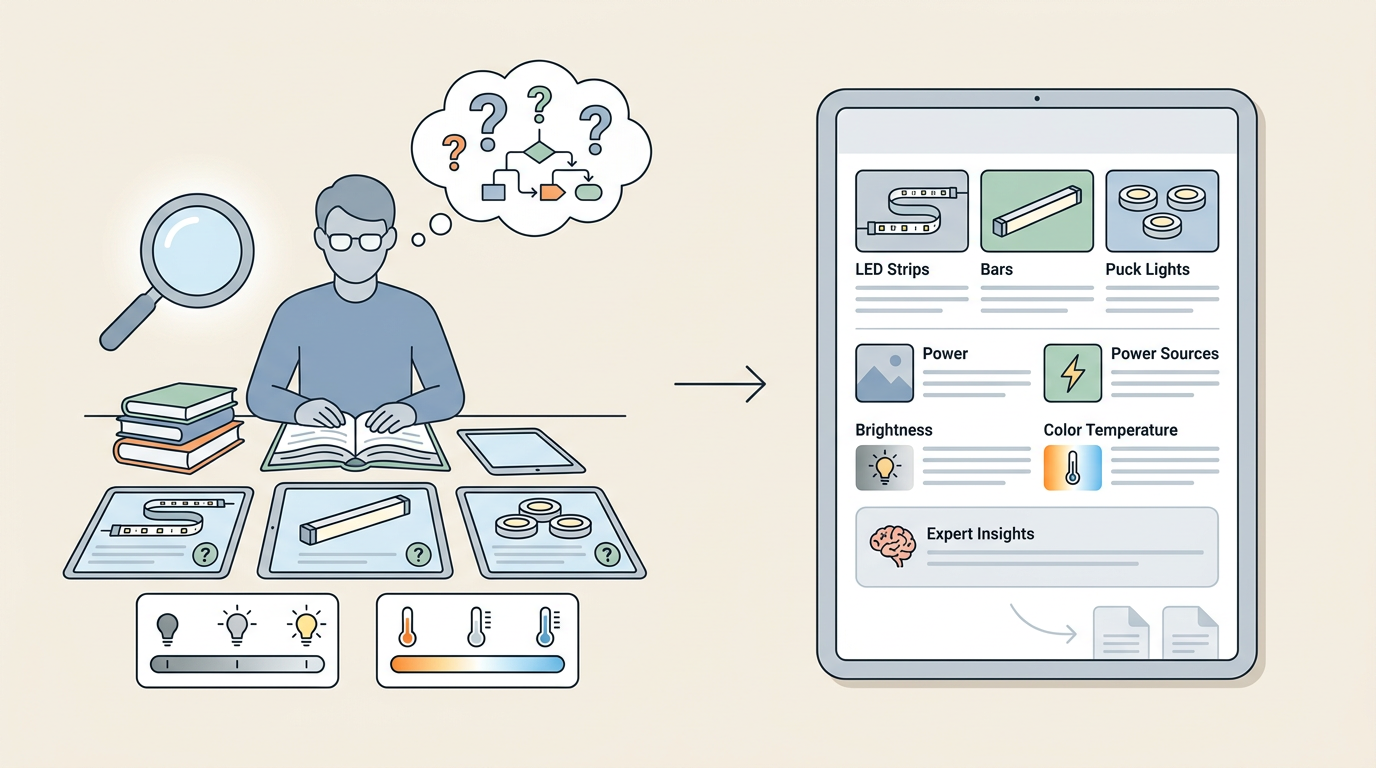
For /blog/how-to-choose-under-cabinet-lighting, the research stage needs to resolve several questions. Is the searcher comparing light types, preparing for installation, or trying to choose a product? Which decisions repeatedly appear on ranking pages? What information can Northstar add from its product expertise? Which existing pages should the guide support?
The research reveals a mixed commercial and informational intent. Searchers need help comparing LED strips, bars, puck lights, power sources, brightness, and color temperature. They may buy later, but a page that opens with a product grid will not answer the initial decision.
Northstar also has an existing category at /collections/under-cabinet-lighting and an older article at /blog/kitchen-lighting-ideas. The new guide should link to both, while the older article should link back using descriptive anchor text. That creates a coherent topic path instead of another orphaned post.
Competitor research helps identify expected coverage, but copying competitor headings creates interchangeable content. Record what competing pages omit. In this example, several pages discuss fixture types but do not explain how cabinet depth, reflective countertops, and visible diodes affect the choice. Those become useful sections because they help a buyer avoid a real mistake.
For a repeatable research process, use the method in How to Use an AI Content Writer With Competitor Research. Keep the output as structured notes with URLs, claims, and source dates. A pile of pasted text is harder to verify and increases the risk of accidental imitation.
Google's Search Essentials gives a useful baseline: create helpful content, make links crawlable, and avoid behavior intended to manipulate rankings. Apply that baseline before deciding a topic is ready for production.
3. Turn research into an enforceable content brief
A strong brief reduces variation between articles. It tells the writing system what must be present, what must not be claimed, and what action the page should support.
The Northstar brief identifies the primary reader as a homeowner comparing lighting before a kitchen renovation. The article should explain fixture types, brightness, color temperature, power options, placement, and common selection errors. Its commercial action is a contextual visit to the under-cabinet lighting category, not an aggressive purchase prompt after every section.
The brief also carries page-specific safeguards:
- Do not provide detailed electrical wiring instructions.
- Do not claim that one brightness level suits every countertop.
- Explain lumens in practical terms without inventing a universal target.
- Link to the relevant category and the kitchen lighting guide.
- Cite authoritative support for safety or energy claims.
- Mark unsupported product assertions for review.
This is one of the few places where adding more constraints usually improves output. The constraints must be specific, however. “Write a high-quality SEO article” does not tell the system how to handle a disputed recommendation or which business page matters.
Store reusable rules separately from the page brief. Brand spelling, prohibited claims, audience definitions, tone, and default publishing status apply across the site. Search intent, examples, sources, and section requirements belong to the individual article.
That separation makes maintenance easier. If Northstar changes its editorial policy, the team edits one global rule rather than every queued brief.
4. Generate drafts from evidence, not from a keyword alone
Now generate the article from the approved brief and research package. The draft should preserve the reasoning established earlier instead of performing fresh, uncontrolled research while writing each paragraph.
For the Northstar guide, the opening should address the visible problem: fixtures that create glare, uneven pools of light, or exposed diodes. It should then help the reader choose based on cabinet dimensions, countertop finish, power access, and desired appearance.
A weak first draft might recommend a fixed lumen range as if every kitchen were identical. The correction is not cosmetic. Remove the universal recommendation and explain the variables that change usable brightness, including mounting distance, diffuser quality, surface reflectivity, and ambient light.
Watch for sections that sound complete but contain no decision support. A paragraph saying that LED strips are “flexible and versatile” adds little. A useful replacement explains that strips suit continuous runs and shallow profiles, while rigid bars can be easier to align and may produce a more controlled beam.
The same standard applies to landing pages produced at scale. Changing a city name or product type inside a fixed template does not create distinct value. If the available data cannot support a meaningful page, do not publish it. Google's spam policies specifically address scaled content created primarily to manipulate rankings, regardless of whether automation or people produced it.
This Search Central video provides a concise explanation of how Google discovers, crawls, and serves pages, which helps frame why publication volume alone does not produce visibility.
If your team is still separating research, briefing, generation, and revision by hand, the workflow in How to Automate SEO Content Creation explains how those stages fit together.
5. Add SEO and quality checks to the AI content autopilot

Optimization should verify that the draft answers the search need clearly. It should not force every related phrase into the copy.
Start with the title and opening. A reader looking for help choosing under-cabinet lighting should recognize within seconds that the article covers fixture type, brightness, color, power, and placement. If the introduction spends four paragraphs describing the history of kitchen lighting, cut it.
Then inspect heading structure. Each heading should represent a decision or question that matters to the reader. Repeated headings such as “Benefits,” “Why It Matters,” and “Things to Consider” hide the information architecture from readers and search engines.
Check the draft against its source notes. Every safety claim, technical specification, or numerical recommendation needs support appropriate to the risk. General buying guidance can come from direct product knowledge. Electrical code assertions require stronger evidence and expert review.
Next, test internal links. The article should link to pages that help the reader take the next logical step, not every page containing a related word. Northstar links fixture comparisons to its product category and links broader design questions to its kitchen lighting article.
Review the page as a search result too. The title should be distinct, the meta description should state the practical benefit, and the slug should remain readable. Avoid changing the slug after publication unless there is a clear reason and a redirect plan.
Finally, compare the draft with existing site content. Northstar's older kitchen lighting article already contains a short section on cabinet fixtures. The new article can cover the subject deeply, while the old section should become a concise introduction linking to it. Leaving two pages to compete for the same intent makes performance harder to interpret.
6. Choose human review gates for automated publishing
Not every article requires the same review. Match oversight to business risk, factual sensitivity, and page value.
A low-risk article based on stable, approved source material may only need a quick editorial review. A landing page that makes product compatibility claims needs a subject expert. Legal, medical, financial, and safety-sensitive material should not move directly from generation to publication.
Use publishing modes deliberately:
| Publishing mode | Best fit | Human control | Main risk |
|---|---|---|---|
| Save as WordPress draft | New workflows, regulated subjects, important commercial pages | Editor approves every article | Slower publishing and a growing draft queue |
| Schedule after approval | Established topics with a planned calendar | Editor reviews before a set publication date | Approved articles may become stale before release |
| Automatic publication | Low-risk formats with proven briefs and source rules | Team audits samples and exceptions | A bad template can affect several pages quickly |
Northstar starts with WordPress drafts. The content manager checks search intent, product references, unsupported claims, internal links, title, and formatting. After ten articles expose no recurring structural problems, the team may allow approved briefs in the lighting-design cluster to be scheduled automatically.
The article about under-cabinet lighting still receives specialist review because it touches installation and electrical choices. That extra gate is attached to the topic, not applied randomly after a draft happens to look risky.
Create a rejection path as well as an approval path. When an editor rejects a draft, record the reason in a form the workflow can use. “Not good enough” teaches nothing. “The brightness section gives a universal recommendation without considering mounting height” identifies a reusable correction.
7. Run the AI content autopilot from Rankdesk to WordPress
Once the manual controls are clear, Rankdesk can remove the repeated handoffs between research, drafting, optimization, and WordPress publishing. The workflow follows the same order a content team would use manually.
First, provide site context so the system can research the business, relevant competitors, and keyword opportunities. Keep your editorial boundaries documented before expanding the topic list. The Rankdesk features page describes the research, writing, and publishing stages available in the product.
Next, review the proposed content direction. For Northstar, the team checks that the under-cabinet lighting guide supports a real category, does not duplicate the kitchen lighting article, and fits the approved home-lighting scope.
The article is then created around the selected topic and site context. Review the output against the same safeguards used in the manual process: search intent, evidence, useful differentiation, claims, and internal destinations. Automation removes copy-and-paste work, but the acceptance standard stays intact.
Connect the supported WordPress site through Rankdesk's publishing workflow. The integrations page confirms support for WordPress alongside other publishing platforms. Follow the current connection instructions in the product rather than sharing permanent administrator credentials through documents or chat.
Choose whether the article should remain available for review or publish automatically. Northstar keeps the first guide in review because the topic includes installation considerations. A later article about pendant-light styles could use a lighter gate after the team has validated the format.
Finally, publish or schedule the approved article without rebuilding it inside the WordPress editor. Check the live URL after publication. Confirm the heading structure, links, metadata, and mobile presentation, since theme rules and WordPress plugins can change how otherwise correct content appears.
WordPress revisions provide a record of saved changes and can help restore earlier content when an edit goes wrong, as explained in the official WordPress revisions documentation. Revisions are useful recovery tools, but they are not a substitute for checking the page before it goes live.
The full product sequence is shown on How Rankdesk works. Teams comparing a broader production workflow with RankPill can also use the published Rankdesk vs RankPill comparison. Verify current vendor pricing on each vendor's own pricing page before making a purchase decision.
8. Measure the AI content autopilot after publication
Publication is a state change, not the finish line. The monitoring loop tells you whether the research and editorial controls produced a useful page.
For the Northstar article, record the publication date, target intent, supporting category, internal links, and review status. Then watch whether Google discovers and indexes the URL, which queries begin producing impressions, and whether those queries match the intended reader.
A page may rank for adjacent wording before it reaches the main topic. That is not automatically a problem. Look for a consistent mismatch. If the article receives impressions for installation instructions but few for fixture selection, the title or opening may overemphasize installation.
Check business behavior alongside rankings. Visits to the product category, engagement with comparison sections, and assisted conversions can show whether the page supports the buying process. Do not rewrite a useful article merely because it has not reached a preferred ranking position after a few days.
AI assistant citations require similar patience and discipline. Assistants tend to cite pages that provide clear, extractable answers and credible support. Use descriptive headings, define terms directly, keep claims attributable, and maintain visible information about the business and its expertise. The practical methods in How to Get Mentioned by ChatGPT also apply to citations from other assistants.
Set update triggers instead of arbitrary rewrites. Refresh the article when products change, cited sources become outdated, the search intent shifts, or performance shows a specific gap. Rewriting every page each month can erase useful sections and make results difficult to compare.
Common AI content autopilot mistakes
The most damaging failure is scaling before the workflow has been tested. If one brief produces shallow conclusions, using it across fifty topics creates fifty editing jobs.
Another mistake is treating human review as a vague final polish. Reviewers need explicit responsibility. A copy editor can fix readability, but may not know whether a fixture works with a particular dimmer. Assign technical claims to someone qualified to approve them.
Teams also automate publication while leaving internal linking manual. The result is a growing archive of isolated pages. Include intended destination pages in the brief, then inspect the links on the live post.
Do not confuse a clean draft with an accurate one. Fluent writing can conceal unsupported numbers, oversimplified recommendations, or references to features that do not exist. Trace important claims back to sources or internal product knowledge.
Finally, avoid measuring the system only by articles published. Track accepted drafts, rejection reasons, indexing, query alignment, useful internal traffic, and update workload. A workflow that publishes less but requires few repairs may be more productive than one producing a constant cleanup queue.
AI content autopilot FAQ
Can an AI content autopilot publish directly to WordPress?
Yes. Rankdesk supports WordPress publishing, so approved articles can move into the site's publishing flow without being copied manually between tools. Start with draft status until you have tested formatting, metadata, links, categories, and review responsibilities on your own WordPress setup.
Should every article be reviewed before it is published?
Review requirements should reflect risk. New templates, important commercial pages, technical topics, and sensitive claims deserve human approval. Established low-risk formats can move toward scheduled or automatic publication once the team has evidence that the brief and safeguards work reliably.
Will automatically published articles hurt Google rankings?
Automation itself is not the deciding factor. Problems arise when sites publish unoriginal, inaccurate, or search-manipulative pages at scale. Each page still needs a clear purpose, useful information, factual support, and a place within the site's structure.
How many articles should an automated workflow publish each week?
Use a volume your team can inspect and measure. Three articles with documented reviews will teach you more than thirty published from an untested template. Increase frequency only after rejection rates, live-page checks, and update workload remain manageable.
Can the same workflow create programmatic landing pages?
Yes, when each page has distinctive and useful inputs. A location, product, or use-case page needs information specific to that combination. If the only variation is a swapped place name or product phrase, the template is not ready for large-scale publication.
How do automated articles earn citations from AI assistants?
Make important answers easy to locate and verify. Use direct headings, concise explanations, named entities, supported claims, and relevant first-party expertise. Strong authority across the wider site matters too, so pair content production with the practical strategies in How to Increase Domain Authority.
When should I use Rankdesk instead of separate writing and publishing tools?
Rankdesk fits teams that want research, writing, optimization, and publishing in one controlled process. Separate tools may suit teams with highly customized editorial systems, but they create more handoffs and require someone to maintain the connections between each stage.
If you want a more consistent way to research, review, and publish search-focused WordPress content, see how Rankdesk works as a controlled autopilot. It creates articles and landing pages from site, competitor, and keyword research, then lets you review them or publish automatically. Read next: How to Automate SEO Content Creation From Research to Publishing. Read next: Automated Blog Publishing: Benefits, Risks, and Quality Controls. Read next: Automated SEO Content: A Pre-Publishing Quality Checklist.
Want articles like this on your site?
Rankdesk plans, writes and publishes SEO content for you. Start free and generate your first 3 articles.