
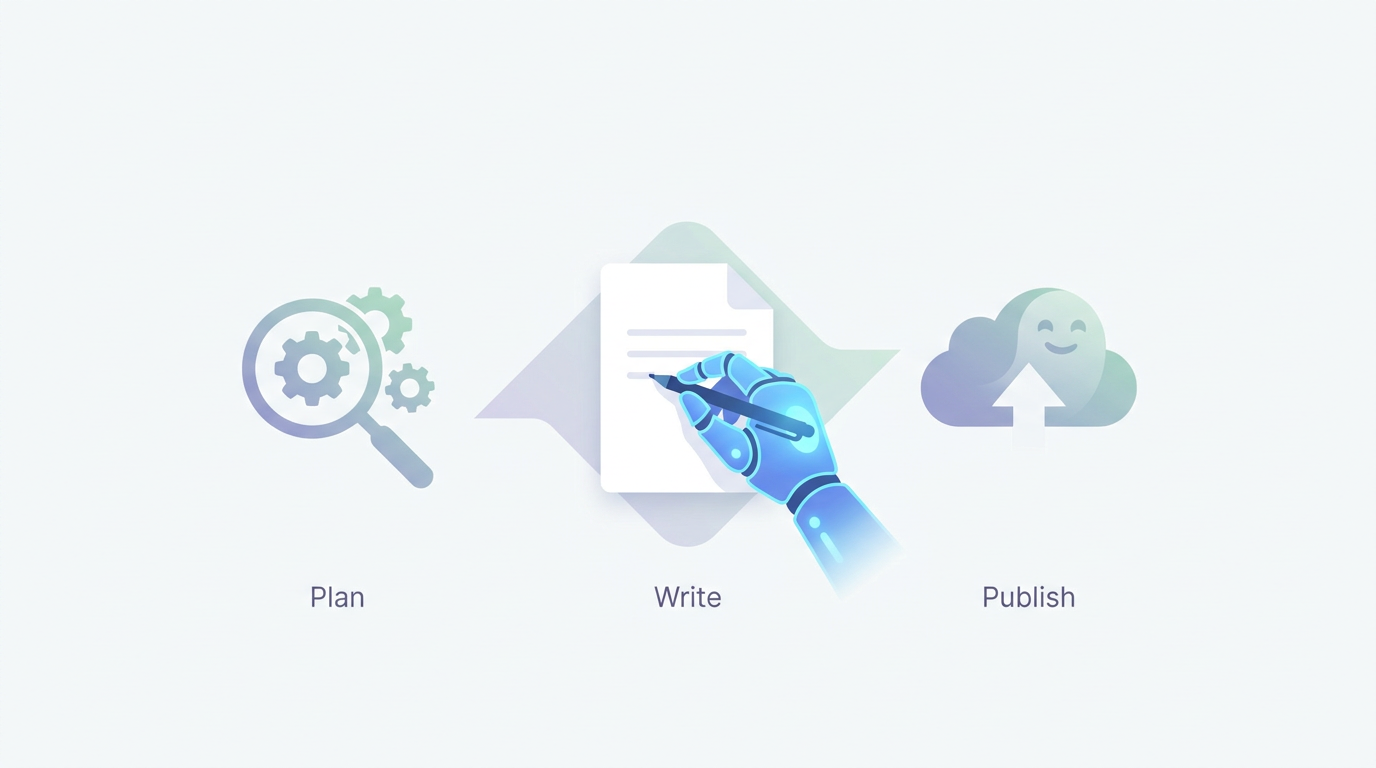
AI Content Writer for Ghost: Plan, Write, and Publish SEO Pages
Your Ghost site needs consistent articles and landing pages, but each draft takes hours of keyword research, source checking, editing, formatting, and metadata work. Publishing faster does not help if the pages repeat existing results, contain unsupported claims, or miss the intent behind the search. Rankdesk can handle the research and drafting stages while Ghost remains your publishing system.
Quick answer: How to use a Ghost AI content writer
Use this workflow to create search-focused content and move it into Ghost without sacrificing editorial control:
- Choose one search intent and one primary page goal.
- Research competing pages, related questions, entities, and credible sources.
- Generate a structured draft based on that research.
- Review facts, examples, positioning, and internal links.
- Transfer the approved draft into Ghost and set its URL and metadata.
- Publish the page, confirm indexing access, and connect supporting pages.
- Measure queries and citations, then update the page with stronger evidence.
How a Ghost AI content writer fits your publishing workflow
Ghost gives publishers a clean editor, flexible site structure, memberships, newsletters, and built-in SEO settings. It does not remove the work required before a useful article reaches the editor. Someone still has to select the query, inspect current results, decide what the page should contribute, create the draft, and verify every material claim.
An AI-assisted workflow should reduce that preparation without turning publishing into an unreviewed content feed. That is especially important for local and commercial pages, where inaccurate service details can mislead potential customers.
Consider a fictional plumbing company using Ghost at clearflow.example. The company wants to create /austin/emergency-plumber/ for people who need urgent help in Austin. A weak workflow asks a general chatbot to write 1,500 words about emergency plumbing. The result mentions services the company may not provide, uses generic advice, and fails to explain response areas, booking steps, or after-hours limitations.
A better workflow defines the business facts first. It then researches the search results, produces a page around the actual service, and leaves unknown details clearly marked for review.
How to plan SEO pages for Ghost before writing
Start with the page's job. The Austin page must help a local visitor decide whether the company can solve an urgent problem, not provide a broad history of plumbing.
Map one primary intent to one URL. For the example page, that intent is finding an emergency plumber in Austin. Supporting questions may cover availability, common emergency types, service areas, what to do while waiting, and how charges are explained. These questions belong on the page only when the business can answer them accurately.
Check whether an existing page already targets the same need. If /services/emergency-plumbing/ already ranks for Austin searches, creating a near-duplicate local page could split internal links and relevance between two URLs. Update the existing page or give the local page a distinct purpose.
For larger projects, define a reusable page structure but do not swap city names into identical copy. A useful local page needs location-specific service facts, customer instructions, relevant regulations where applicable, and a clear relationship to the main service page. The same principle applies to product comparisons, integration pages, and industry landing pages.
The competitor research workflow explains how to inspect competing coverage without copying its headings or claims.
How to research and create AI content for Ghost
Research should produce decisions, not a large collection of keywords. Record the search intent, expected page type, recurring subtopics, primary entities, credible sources, and gaps in the current results.
For clearflow.example, research may show that ranking pages discuss burst pipes, overflowing fixtures, shutoff valves, water heater leaks, and after-hours contact methods. That does not mean every item belongs in the draft. If the company does not repair water heaters, remove that section before writing.
Create a brief that states the page goal, audience, confirmed services, prohibited claims, desired conversion action, internal-link targets, and sources that writers can rely on. Then generate the draft from that brief.
Google advises publishers to create content for people rather than pages designed mainly to manipulate rankings in its guidance on helpful, reliable content. AI can assist with production, but the page still needs original value, factual accountability, and a clear reason to exist.
Rankdesk's SEO editorial workflow covers the review stages between a generated draft and an approved article. For teams building a repeatable pipeline, the broader SEO content automation guide shows how research, writing, review, and publishing fit together.
How to review an AI-generated Ghost draft
Review the page in passes. First, check business accuracy. Confirm service areas, opening hours, qualifications, pricing language, guarantees, and response expectations with the person responsible for the service.
Next, check search usefulness. The Austin page should answer urgent questions near the top rather than opening with several paragraphs about why plumbing matters. Add a concise service explanation, a direct contact action, and practical instructions that are safe for a customer to follow.
Then inspect evidence and language. Remove unsupported superlatives such as “fastest” or “best.” Replace vague claims with specific policies the business can stand behind. If the company only offers same-day appointments when capacity allows, do not call that guaranteed emergency response.
Finish with an editorial pass for duplicated sections, awkward repetition, generic phrasing, and internal links. Link the local page to the main emergency plumbing service, contact page, financing information if relevant, and related maintenance guides. Every link should help a visitor take the next step.
How to publish AI-written content in Ghost

Create a new post or page in Ghost and transfer the approved content block by block. Keep headings in a logical hierarchy, check lists and tables after pasting, and preview the page on mobile before publication. Ghost's official guide explains the available cards and formatting controls in the Ghost editor.
Set a short URL that reflects the page purpose. For the running example, /austin/emergency-plumber/ is clearer than a dated post URL or a long phrase containing every related term.
Write a distinct title and meta description. Add a social image only if it accurately represents the service. Confirm the canonical URL, make sure the page is not accidentally set to noindex, and add it to the correct site navigation or content collection.
Publishing is not finished when the page is live. Open the public URL in a private browser, test the contact action, inspect the mobile layout, and verify that important content is visible without logging in. Link to the new page from at least one relevant, indexed page.
How Ghost AI content can support rankings and AI citations
Search rankings and citations from AI assistants depend on more than article volume. A page needs to be crawlable, understandable, supported by evidence, and associated with a recognizable business or author.
The Austin landing page should consistently identify the company, service, location, and limitations. Supporting pages can reinforce those facts through an accurate About page, author profiles, contact information, service documentation, and internally linked articles. Contradictory addresses or service descriptions make the entity harder to interpret.
AI assistants also need access. OpenAI documents how site owners can control its search and training crawlers in the OpenAI crawler documentation. Review robots.txt and CDN rules before assuming an assistant can retrieve a published page.
Citations cannot be guaranteed. You can improve the page's eligibility by stating verifiable facts clearly, citing primary sources where appropriate, answering focused questions, and maintaining the content as details change. The guide to earning mentions from ChatGPT explains the entity and source work beyond drafting.
This Google Search Central video provides a useful grounding in how search discovery works before you automate publication.
Choosing a Ghost AI content workflow
The right setup depends on publishing frequency, research requirements, and how much manual control your team needs inside Ghost.
| Workflow | Research depth | Editorial control | Ghost publishing | Best fit |
|---|---|---|---|---|
| Write manually | Depends on the writer | High | Manual | Occasional expert articles |
| General chatbot plus Ghost | Prompt-dependent | High if reviewed carefully | Manual | Early topic exploration and low volume |
| Rankdesk plus Ghost | Structured site, competitor, and keyword research | Drafts can be reviewed before transfer | Manual Ghost handoff | Recurring SEO articles and landing pages |
| Rankdesk with a listed direct integration | Structured research and generation | Review or automatic publishing workflow | Automatic on supported platforms | Teams prioritizing end-to-end publishing |
Some vendors, including Outrank and RankPill, package research, generation, and publishing differently. Check each vendor's current product and pricing information, but verify Ghost support explicitly rather than assuming that “automatic publishing” includes your CMS.
How Rankdesk handles the Ghost AI content workflow
Rankdesk begins by researching your site, competitors, and target keywords. That gives the draft context from the existing domain instead of treating each article as an isolated prompt. Its research and writing features are designed to move from topic selection to a complete search-focused draft.
For the fictional plumbing site, the user would supply the domain and target topic. Rankdesk would support the research and content creation stages, while the company would confirm local service facts before approval. The editor then checks the generated page against the brief, adds first-hand operational details, and prepares the final version for Ghost.
The approved content is transferred into Ghost, where the editor controls the URL, metadata, feature image, tags, and publication date. Rankdesk currently lists direct publishing options for platforms such as WordPress, Shopify, and Lovable on its integrations page. Ghost is not presented there as a direct integration, so plan for a manual publishing handoff rather than assuming unattended Ghost publication.
That limitation is worth stating plainly. Rankdesk removes much of the repeated research, outlining, and drafting work for a Ghost team, but the Ghost entry and final CMS checks remain part of the editor's job. Teams that later move a project to a supported platform can review the available automated publishing process.
Common mistakes with AI content for Ghost
Publishing directly from a first draft is the most serious failure mode. It allows incorrect product details, invented service claims, weak citations, and repetitive passages to reach the live site.
Another common mistake is generating many local pages from one template. Changing Austin to Dallas does not create a useful Dallas page. If the business cannot supply distinct local information, publish a stronger regional service page instead of manufacturing thin location variants.
Do not measure success by article count alone. Track whether pages are indexed, which queries produce impressions, whether the intended page ranks, and whether visitors complete the relevant action. Review Search Console data after enough impressions accumulate, then update the page based on observed queries rather than generating another near-duplicate.
Finally, avoid blocking the crawlers you expect to discover the content. Check robots.txt, canonical tags, redirects, and CDN security rules after any site migration or Ghost theme change.
Ghost AI content writer FAQ
Does Ghost include a built-in AI content writer?
Ghost provides the publishing editor and site management tools, but teams commonly use a separate research and drafting workflow. Confirm Ghost's current native features in its documentation, then choose an external tool based on the research, review, and publishing controls you need.
Can Rankdesk publish directly to Ghost?
Ghost is not currently listed among Rankdesk's direct publishing integrations. You can research and create the content in Rankdesk, review it, and then transfer the approved version into Ghost manually. This preserves Ghost-specific control over formatting, metadata, tags, and publication settings.
Will Google penalize AI-written pages on Ghost?
Google evaluates whether content is useful and created to benefit people. Using AI is not a substitute for accuracy, original contribution, or editorial review. Thin pages, copied structures, misleading claims, and mass-produced location variants can perform poorly regardless of how they were written.
Can Ghost pages get mentioned by ChatGPT or Claude?
They can be eligible when they are public, crawlable, clearly written, and supported by trustworthy information. No platform or content tool can guarantee a mention. Strong entity signals, focused answers, primary sources, and consistent business details improve the underlying conditions for citation.
Can I create programmatic local pages in Ghost?
Yes, but each published page should offer location-specific value. Use a shared structure for production efficiency, then require unique service details, local proof, relevant restrictions, and human approval. Do not publish a city page when only the place name has changed.
If you want a more consistent way to research, write, and prepare search-focused pages for Ghost, see how Rankdesk supports the content workflow. It researches your site, competitors, and keywords, then creates articles and landing pages you can review before publishing. Read next: SEO Content Generator: From Keyword to Published Page. Read next: Blog Automation Software: Plan, Write, and Publish.
Start auto-writing for your site today
Create a free account, connect your site and generate your first article in minutes. No credit card needed.