

AI Content Writer for Webflow
Publishing an AI-generated draft in Webflow is easy. Building a repeatable system that chooses useful topics, avoids overlapping pages, follows your CMS structure, and produces content worth indexing takes more work.
Rankdesk handles the research and writing stages of that process, while Webflow gives your team control over the final CMS record, design, and publication.
Quick answer: How to use a Webflow AI content writer
Use this workflow to create search-focused content for a Webflow site:
- Map one primary search intent to each existing and planned Webflow URL.
- Research the competing pages, related questions, and evidence needed for the topic.
- Generate a structured draft that matches your Webflow CMS fields.
- Review claims, examples, internal links, metadata, and conversion paths.
- Add the content to Webflow manually or through a CMS automation.
- Publish, request indexing, and update the page using performance data.
This process works for articles, service pages, location pages, comparison pages, and programmatic SEO landing pages. The publishing method may change, but the editorial controls should not.
How to plan content before using a Webflow AI content writer
Start with URLs, not article titles. Every planned page needs a distinct purpose and a clear relationship to the rest of the site.
Consider a hypothetical architecture studio with a Webflow site at example.com. Its team wants to attract homeowners looking for accessory dwelling unit design services in Austin. The site already has these URLs:
example.com/services/residential-architectureexample.com/services/adu-designexample.com/journal/austin-zoning-basics
Creating another broad page about “ADU design” could compete with the existing service page. A better addition is example.com/journal/adu-permit-process-austin, which answers a narrower informational need and points qualified readers toward the service page.
Record the target query, audience, page type, search intent, parent service, and preferred conversion action before generating text. For larger sites, assign a stable page ID so the brief remains connected to the correct Webflow CMS item.
A content map also makes internal linking deliberate. The permit article can link to the zoning guide for supporting information and to the ADU service page for commercial intent. Those links are part of the plan, not decorations added after writing.
For a broader planning model, use the practical SEO content automation workflow before building your Webflow production queue.
How to research a Webflow content brief
Search results reveal the minimum information a page must cover, but they should not become a template to copy. Examine what competing pages answer, where they are vague, which page formats rank, and whether the results favor services, guides, tools, or location pages.
For the Austin permit example, the brief might require local application stages, the difference between planning and building review, common drawing requirements, and a clear warning that requirements can change. It should also identify statements that need confirmation from an official city source.
Keep the brief tied to the intended page type. A service page needs proof, process details, scope boundaries, and a next action. An informational article needs a direct answer, useful examples, source-backed claims, and contextual routes to relevant services.
Google recommends creating helpful, reliable content for people rather than pages made mainly to manipulate rankings. Its people-first content guidance is a useful review standard when deciding whether a generated section deserves to stay.
Competitor research can speed up coverage analysis, but copied headings lead to interchangeable pages. The guide to using an AI content writer with competitor research explains how to turn result-page observations into an original brief.
How to generate content for Webflow CMS fields
Write to the structure of the collection. Do not generate one long document and expect an editor to separate it cleanly during upload.
A typical Webflow article collection might include a name, slug, summary, main image, rich-text body, author, category, publication date, meta title, and meta description. Location or service collections may add fields for the city, state, service type, proof points, FAQs, and calls to action.
For adu-permit-process-austin, the generated output should provide a short CMS summary separately from the opening paragraph. It should also return a proposed slug rather than deriving one from a long title. Meta fields need their own limits and purpose.
Webflow explains how structured entries and fields work in its official CMS Collections documentation. Match the output schema to those fields before producing dozens of pages.
Use consistent formatting rules for rich text. Decide whether tables are allowed, how headings should be nested, where source links belong, and how calls to action are represented. This prevents an otherwise good draft from creating a large cleanup job.
The following Google Search Central video gives editors a useful grounding in how Google discovers a site before they build an automated publishing process.
How to review AI-generated Webflow content
Review is not a spelling pass. It is where the team determines whether the page is accurate, distinct, publishable, and connected to the business.
On the hypothetical permit article, an editor should verify every local requirement against current municipal sources. The editor should also remove any statement that implies guaranteed approval. A generated sentence such as “Austin ADU permits take four weeks” would be unsafe without a current, authoritative source and conditions explaining the estimate.
Then inspect the page for overlap. If a section repeats the existing zoning article, shorten it and link to that resource. Preserve the new page's focus on the permit workflow.
Check the conversion path last. Someone reading an early-stage permit guide may not be ready to request a proposal immediately. A link to the studio's ADU design process could be a better next action than a full-screen contact prompt.
Before approval, confirm that the page has one H1, descriptive subheadings, useful anchor text, an original title, accessible images, and no unsupported quotations. Also inspect the final output for odd phrases that an experienced practitioner would never use.
How to publish AI content in Webflow
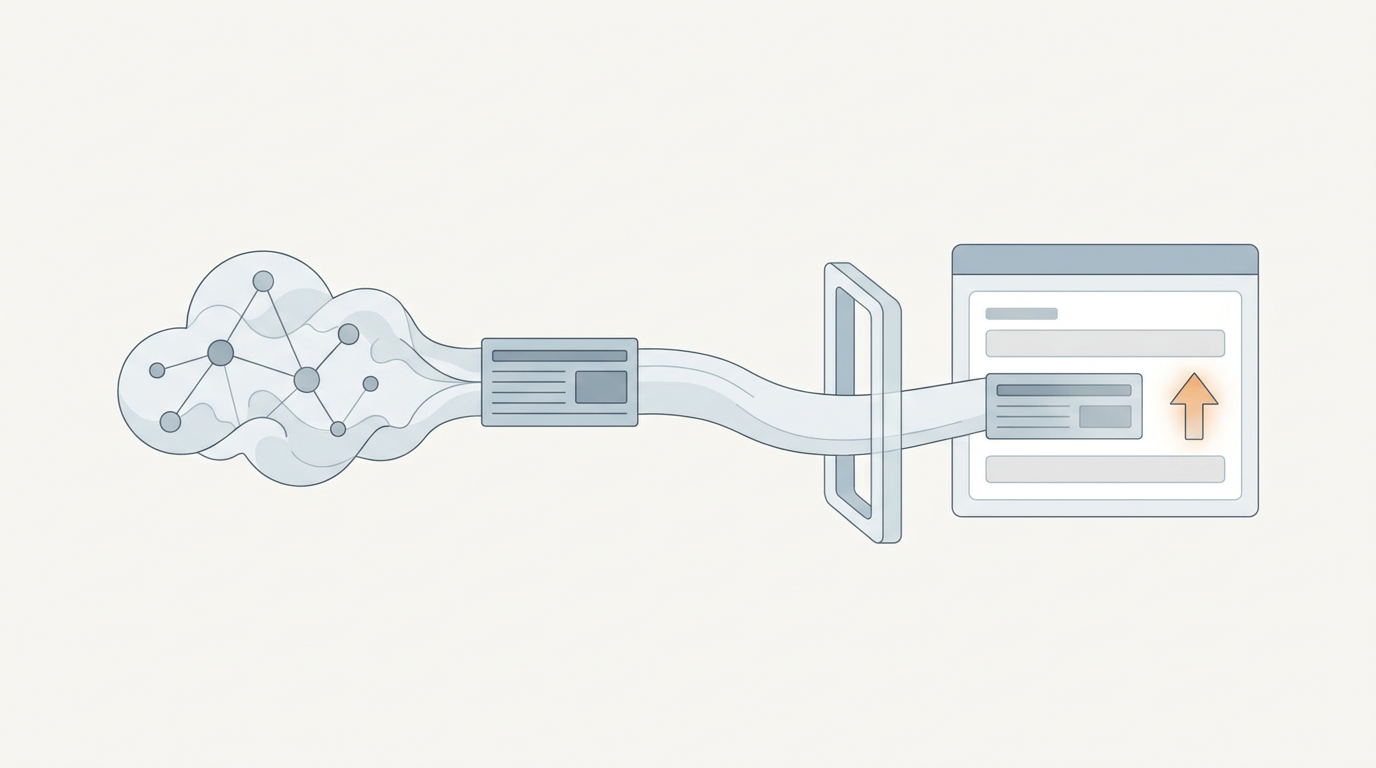
For a small publishing schedule, manual entry is often the safest method. Create or open the CMS item, transfer each field, preview the page, inspect mobile layouts, and publish only after checking the rendered result.
This is slower than automatic publication, but it exposes field and layout problems early. Use it for the first five to ten entries in a new collection.
At higher volume, Webflow's CMS APIs or an automation layer can create collection items from structured output. Follow Webflow's official CMS API documentation when setting up authenticated collection operations. Test drafts or staged items before allowing any workflow to publish directly.
The main failure mode is mapping content to the wrong field. A summary may be inserted into the body, a category reference may fail, or an existing slug may be overwritten. Preserve the Webflow item ID and validate required fields before sending the record.
After publishing example.com/journal/adu-permit-process-austin, inspect the canonical URL, page title, meta description, structured data, internal links, and sitemap inclusion. Confirm that the page is accessible without scripts or login requirements that block retrieval.
How Rankdesk supports a Webflow AI content workflow
Rankdesk removes much of the repeated work before content reaches Webflow. The workflow begins with information about your site, competitors, and keywords. That context supports topic selection and helps avoid writing isolated posts with no relationship to existing pages.
Next, Rankdesk researches and creates the article or landing page. Your team can review the result before publication, including the structure, claims, links, and metadata. The Rankdesk features page shows how research, writing, and publishing fit into one production process.
For a Webflow project, keep the CMS schema beside the Rankdesk output. Transfer approved fields into Webflow manually or connect an appropriate workflow if your technical setup supports it. Rankdesk lists its current direct publishing options on the integrations page, so verify Webflow availability before assuming one-click publication.
In the architecture example, Rankdesk would help create the Austin permit guide from the site's topic context. The editor would validate local claims, approve the links to /services/adu-design and /journal/austin-zoning-basics, then place the approved content into the corresponding Webflow collection fields.
This approach keeps control where it matters. Research and drafting become repeatable, while the final Webflow record still receives a page-level review.
Webflow AI content writer options compared
The best setup depends on publishing volume, review requirements, and how much of the research process you want to manage yourself.
| Approach | Research and briefing | Webflow publishing | Editorial control | Best fit |
|---|---|---|---|---|
| Manual research and writing | Fully managed by your team | Manual CMS entry | Highest, but time intensive | A few high-value pages per month |
| General-purpose AI assistant | Requires detailed prompts and separate research | Copy and paste or custom automation | Depends heavily on your process | Teams with an experienced SEO editor |
| Rankdesk workflow | Site, competitor, and keyword research support | Review and transfer to Webflow, subject to current integrations | Review before publication | Consistent articles and landing pages at scale |
| Fully automatic custom pipeline | Built and maintained internally | Webflow CMS API | Can be high if approval gates exist | Technical teams with large structured page sets |
Outrank and RankPill also serve teams evaluating automated SEO production. Compare actual editorial controls, Webflow support, output ownership, and current prices on each vendor's own site. The Rankdesk versus RankPill comparison provides a more detailed feature framework without reducing the decision to article volume alone.
How Webflow content can earn Google rankings and AI citations
Search visibility and mentions from assistants start with pages that can be retrieved, understood, and trusted. Automatic publication does not create authority by itself.
Use specific entity names, explain relationships clearly, and cite primary sources where facts can change. Give each page a stable URL and make the core answer available in readable HTML. A page about Austin permits should name the jurisdiction, define the project type, explain the applicable process, and show when professional help becomes relevant.
AI assistants are more likely to cite a source when it provides a direct answer with clear supporting detail. No platform can guarantee a mention from ChatGPT or Claude. The practical work involves publishing useful information, developing recognizable expertise, earning references, and keeping key pages current.
OpenAI documents how site owners can control access for its search and training crawlers in the OpenAI crawler documentation. Check robots rules if your pages never appear in AI-assisted search experiences.
For a fuller publishing plan, see the guide on how to get mentioned by ChatGPT and the explanation of generative engine optimization software.
Common Webflow AI content mistakes
Publishing hundreds of lightly varied location pages is a common failure. If only the city name changes, the pages give searchers little reason to choose one over another and create a substantial maintenance burden.
Another mistake is letting the generator choose URLs without seeing the existing site. This causes duplicate slugs, cannibalization, and pages stranded outside the internal link structure.
Do not automate publication before validating the first batch. A broken field mapping can affect every page in the collection. Publish a small sample, inspect the rendered HTML, and correct the workflow before increasing volume.
Finally, do not confuse factual tone with factual accuracy. AI can produce precise statements that are wrong or outdated. Assign an owner to verify legal, financial, medical, product, pricing, and local regulatory claims.
Webflow AI content writer FAQ
Can an AI content writer publish directly to Webflow?
It depends on the product and integration available. Some setups use the Webflow CMS API, while others require manual transfer. Check current integration support before building your workflow around direct publication.
Should I publish AI-generated content without editing it?
No. Review it for factual accuracy, search intent, duplicated sections, internal links, brand fit, and field formatting. Pages involving regulations or professional advice need subject-matter review before publication.
Can I use this workflow for Webflow landing pages?
Yes. Define the audience, search intent, offer, evidence, objections, and conversion action in the brief. Store reusable elements in Webflow CMS fields when multiple pages share the same template, but make each page substantively useful.
How many Webflow articles should I publish each week?
Choose a pace your team can research, review, link, and update. Three strong pages with clear roles are more manageable than a large batch of overlapping drafts. Increase frequency after the approval and CMS processes remain reliable.
Will AI-written Webflow pages rank on Google?
They can rank when they satisfy the query, provide reliable information, fit the site's topic structure, and meet technical requirements. The use of AI is not a substitute for usefulness, authority, links, or accurate indexing.
If you want a more consistent way to plan, write, and move search-focused pages into Webflow, see how Rankdesk works. It researches your site, competitors, and keywords, then creates articles and landing pages you can review before transferring or publishing them. Read next: AI Content Writer for WooCommerce: Plan, Write, and Publish.
Start auto-writing for your site today
Create a free account, connect your site and generate your first article in minutes. No credit card needed.