
Content Automation Software for SEO Publishing
Publishing three useful articles every week often means moving data between keyword tools, documents, spreadsheets, and WordPress. Briefs go stale, drafts wait for review, internal links get missed, and scheduled posts never make it into the CMS.
Content automation software connects those steps so your team can spend less time coordinating files and more time improving the pages that deserve to rank. Rankdesk is one option built around this full research-to-publishing workflow.
Quick answer: how content automation software works
Use content automation software to run this workflow:
- Set the topics, audience, publishing frequency, and conversion goal.
- Research keywords, competitors, search intent, and existing site coverage.
- Turn that research into briefs with distinct page targets.
- Generate drafts grounded in the website, topic, and required format.
- Review facts, claims, links, duplication, and brand fit.
- Publish to WordPress or another supported platform and monitor results.
Automation is most useful when all six steps remain connected. A tool that only produces a draft still leaves research, quality control, CMS formatting, and publishing to your team.
What content automation software should automate
Start by defining the outcome. A B2B company may need educational articles that generate demo requests, while an ecommerce store may need category support pages that lead readers toward products. Publishing volume alone is a weak target.
Consider a fictional WordPress retailer selling standing desk accessories. The site already has a product category at /collections/cable-management, but it lacks an article answering how to organize cables around a height-adjustable desk. The proposed URL is /blog/standing-desk-cable-management-guide.
The team sets a goal: publish a practical guide that can rank for relevant searches, support the existing category page, and provide clear information that Google and AI assistants can interpret. The article should explain cable tray placement, power strip mounting, cable length, movement allowance, and safety considerations.
Good software records those requirements before writing. It should also keep the intended reader, target URL, page type, and conversion action attached to the assignment. Without that context, an automated system can create a polished article that competes with an existing page or sends visitors to the wrong offer.
How content automation software handles research
Export the last 90 days of Google Search Console data first. Look for queries where the site already receives impressions but has no page that fully addresses the need. Then compare those opportunities with the current URL inventory.
For the standing desk retailer, research might reveal that the category page appears for broad commercial searches while instructional searches receive impressions without clicks. That supports creating a guide rather than rewriting the category page as an informational article.
Competitor research should identify coverage gaps, page formats, recurring subtopics, and weak claims. It should not become an instruction to copy headings. The new page needs a reason to exist. In this example, that reason could be a concrete routing method for cables that must move through a desk's entire height range.
Follow Google Search Essentials when deciding whether a page is discoverable, indexable, and useful enough to publish. For a closer look at turning research into a production system, use this practical SEO content automation workflow.
How to create briefs and drafts with content automation software
A useful brief defines the search intent, expected reader knowledge, page structure, conversion path, supporting sources, and boundaries. It also tells the system what the page must avoid.
The standing desk guide should avoid unsupported electrical safety claims. It should distinguish between adhesive clips, under-desk trays, cable sleeves, and mounted power strips. It also needs an internal link to the cable-management category without turning every paragraph into a sales pitch.
The first automated draft fails if it recommends fixing every cable tightly to the desktop. That setup can pull connections loose when the desk rises. The reviewer should correct the method, add movement allowance, and explain how to test the setup at minimum and maximum desk height.
This failure mode shows why draft generation cannot be treated as final production. The software can organize the researched material and create a strong first version. Subject knowledge still matters when advice has physical, legal, financial, or technical consequences.
A useful editorial sequence is to review the argument first, factual claims second, and wording last. Editing sentences before checking the page's core advice wastes time. Agencies managing this process across several accounts can use the workflow in this guide to scale client SEO without sacrificing quality.
How to review automated SEO content before publishing
Review every page against its specific risk. A simple glossary entry needs less scrutiny than medical guidance, product compatibility instructions, or financial analysis.
Check whether the draft answers the main question near the top. Confirm that examples are possible, cited facts match their sources, and links point to the intended destinations. Search the site for similar titles and passages before approving a new URL.
Google's spam policies for web search make clear that scaled production can become a problem when pages are created mainly to manipulate rankings and provide little value. Adding a human approval step helps, but approval alone does not make a weak page useful. The page needs accurate information, a distinct purpose, and a sensible place within the site.
Use AI detection scores cautiously. They do not verify accuracy, originality, or usefulness. A direct comparison against existing site pages, source material, and the brief provides a better editorial control.
How to auto-publish content to WordPress
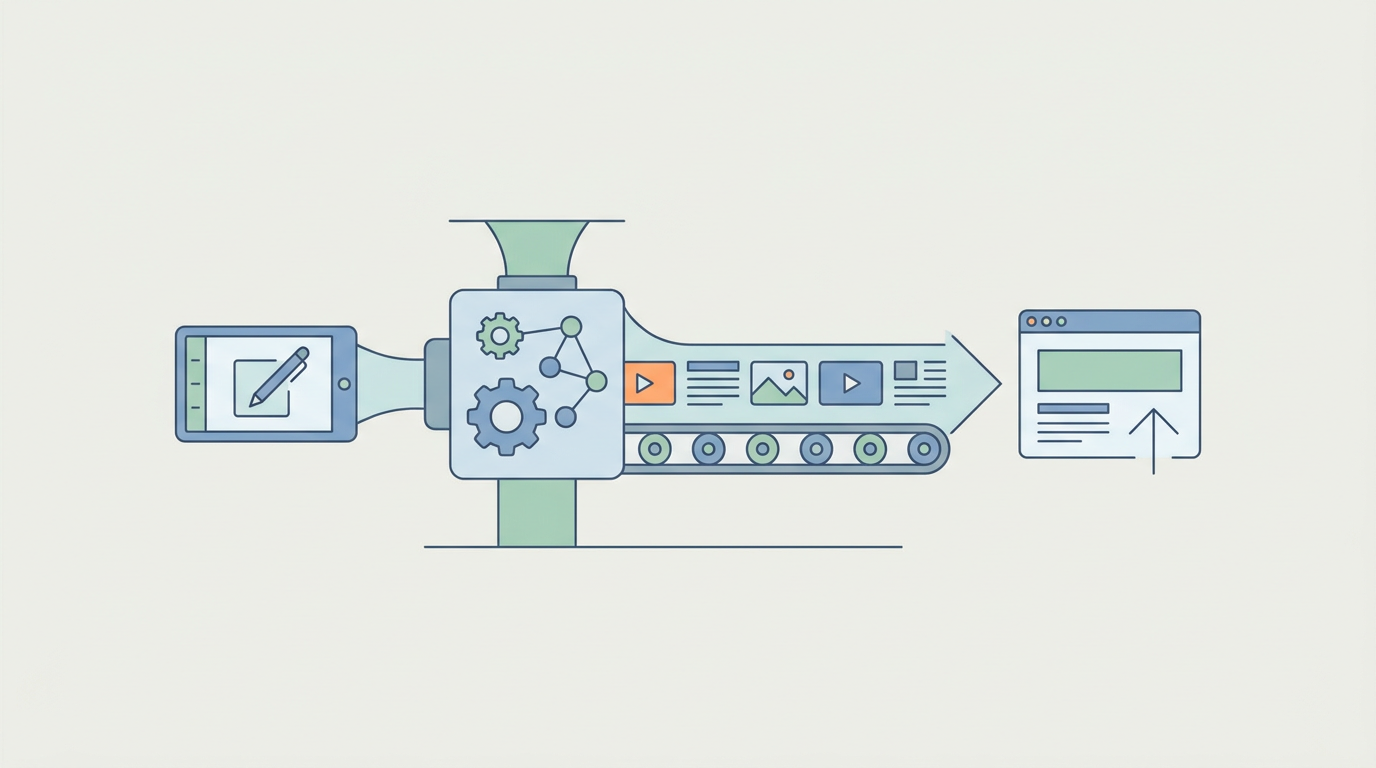
Connect the publishing workflow only after your templates and review rules are stable. WordPress supports programmatic creation and updating of posts through its REST API, including post status, content, categories, and other configured fields.
For the standing desk guide, map the title, slug, body, category, featured image requirements, meta fields, and publication status. Send the first version as a draft. Preview it on desktop and mobile, test the product-category link, and confirm that the table of contents and heading levels render correctly.
Next, schedule the page and verify the live URL after publication. Check that the canonical tag, indexability settings, structured data, and sitemap entry are correct. A successful API response does not prove that the rendered page is ready for search engines.
This Google explanation of crawling and indexing gives editors useful context for what happens after a page is published.
Automated publishing creates a speed-versus-control trade-off. Direct publication reduces queues, but a faulty template can affect many pages before anyone notices. Start with draft delivery, approve several complete cycles, and move low-risk page types to scheduled publishing once the output is predictable. Rankdesk supports WordPress alongside the other platforms listed on its publishing integrations page.
Comparing content automation software options
Most buyers compare content automation software with separate research and writing tools, CMS scheduling, or a custom API workflow. The right choice depends on how many handoffs your team can support.
| Workflow option | Research and briefing | Draft creation | CMS publishing | Ongoing maintenance | Best fit |
|---|---|---|---|---|---|
| Rankdesk | Included in the connected workflow | Included | WordPress, Shopify, and Lovable support | Review and publishing controls remain in one process | Teams wanting fewer manual handoffs |
| Separate SEO and writing tools | Split between products | Usually included in one tool | Commonly manual or connector-based | Requires spreadsheet or project-tool tracking | Teams with an established editorial operation |
| WordPress scheduling only | Manual | Manual or completed elsewhere | Native scheduling | Editors manage updates in WordPress | Low publishing volume |
| Custom API workflow | Built to specification | Depends on selected models and data | Fully configurable | Requires engineering ownership | Large teams with unusual requirements |
Outrank and RankPill may also appear on a buyer's shortlist. Compare their current research depth, editorial controls, supported CMS platforms, publication limits, and pricing on each vendor's own site. The Rankdesk versus RankPill comparison provides a more detailed framework without reducing the decision to article volume.
Ask for a complete demonstration using one of your real topics. Watch how the product chooses the target page, uses existing site information, adds internal links, handles revisions, and sends the approved version to your CMS. A polished sample in an isolated editor tells you very little about the operating workflow.
How Rankdesk automates the content workflow
Rankdesk begins with your website, competitors, and keyword opportunities rather than an empty prompt. The research informs which topics should become articles or landing pages and helps avoid producing disconnected drafts.
The platform then creates search-focused pages from that context. You can inspect the output, request changes, and keep human review where the topic requires it. See the specific research, writing, and publishing scope on the Rankdesk features page.
Once a page is approved, Rankdesk can publish through a supported integration instead of leaving the editor to copy headings, links, and body content into WordPress. Teams that trust a repeatable content type can automate publication, while higher-risk pages can remain review-first. The full sequence is shown on the how Rankdesk works page.
Applied to the standing desk example, Rankdesk researches the site's existing coverage, prepares the guide, includes the relevant internal path, and moves the finished page toward WordPress publication. The retailer still supplies product expertise and checks safety-sensitive advice. Rankdesk removes the repeated coordination around research, drafting, formatting, and delivery.
Clear entity references, factual consistency, and accessible pages can also make material easier for AI assistants to interpret and cite. No software can guarantee a mention from ChatGPT or Claude. Build pages with specific answers, attributable claims, stable URLs, and clear connections between the company, its products, and its expertise. The guide to earning ChatGPT mentions covers that work in more detail.
Common content automation software mistakes
Publishing every generated draft without sampling the live output is the most expensive mistake. Template errors, repeated introductions, broken links, and unsupported claims can spread across dozens of URLs.
Another mistake is assigning several URLs to the same intent. The standing desk retailer should not publish separate thin articles for cable organization, cable tidying, and cable management unless each page serves a genuinely different need. Consolidate overlapping briefs before drafting.
Teams also automate new production while ignoring existing pages. Updating a URL with impressions, relevant backlinks, and an established history may produce a better result than adding another page. Content automation software should support a deliberate publishing plan, not an endless queue.
Finally, do not measure success by word count or posts per month. Track indexed pages, qualified impressions, clicks, conversions, assisted conversions, and whether target pages gain visibility for the intended topics. Review performance by page type so weak landing pages do not hide behind strong educational posts.
Content automation software FAQ
Can content automation software publish directly to WordPress?
| Yes, if the product supports a WordPress integration or uses the WordPress REST API. |
|---|
| Confirm whether it can create drafts, schedule posts, set categories, map SEO fields, and update existing URLs. |
| Test one unpublished draft before granting broader publishing access. |
Will automated content rank on Google?
Automation does not determine rankings by itself. Search performance depends on usefulness, competition, site authority, technical accessibility, internal linking, and how well the page satisfies its intended query. Automation improves consistency and production speed, but it cannot guarantee rankings.
Can automated pages get cited by ChatGPT or Claude?
They can be cited if assistants can access and interpret them, but no platform can promise inclusion. Publish clear answers, original details, consistent entity information, and reliable sources. Keep important information in crawlable page content rather than hiding it behind scripts or forms.
Is content automation software suitable for landing pages?
Yes, especially when creating location, service, integration, or use-case pages from structured inputs. Each landing page still needs distinct value. Avoid swapping a city or industry name into otherwise identical copy, since that produces weak pages and creates maintenance problems.
How much review should automated content receive?
Use more review for claims that can cause harm or influence major decisions. Low-risk educational pages may move through a standard editorial check, while technical, legal, health, and financial topics require qualified review. Begin with every page held as a draft, then automate only the stable formats.
If you want a more consistent way to plan, write, and publish search-focused pages, see how Rankdesk supports content automation. It researches your site, competitors, and keywords, then creates articles and landing pages you can review or publish automatically. Read next: SEO Automation Software. Read next: AI Content Generator for Search-Focused Publishing. Read next: Content Marketing Automation Software.
Start auto-writing for your site today
Create a free account, connect your site and generate your first article in minutes. No credit card needed.