
AI Content Publishing API: How to Send SEO Articles to a Custom Stack
September 7, 2026
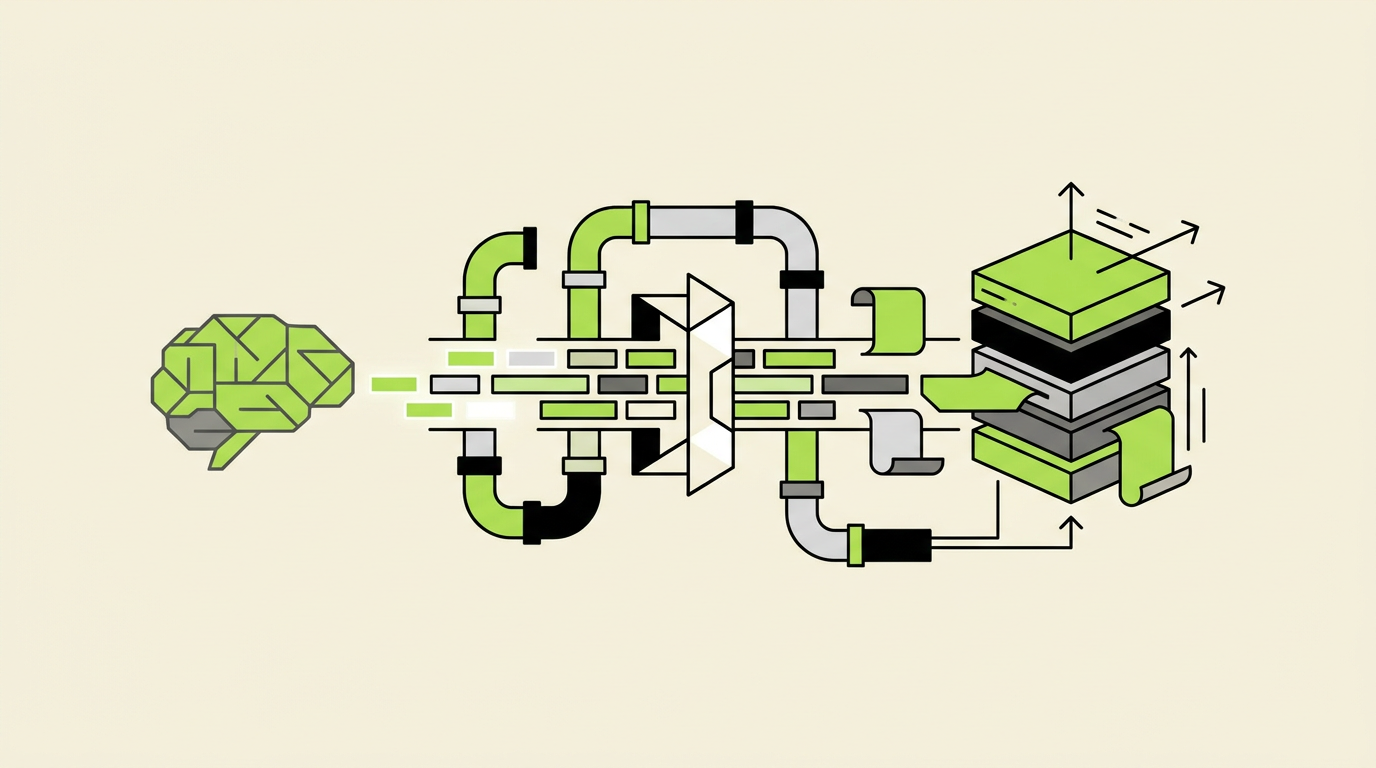
A finished article sitting in a content tool cannot rank. Your custom site still needs a valid URL, metadata, images, canonical tags, structured data, publication timing, and a reliable record of whether deployment succeeded.
Rankdesk can handle research and article production, but a custom stack needs a clear publishing contract between the content system and the application serving the page.
Quick answer: how to use an AI content publishing API
Build the workflow in this order:
- Define the article fields your custom stack requires.
- Create an authenticated publishing endpoint in your application.
- Map article content, metadata, images, and canonical URLs into one payload.
- Validate the payload before writing anything to production storage.
- Save the article with a draft, scheduled, published, or failed status.
- Publish scheduled articles through a server-side job.
- Render the final page and its SEO tags from the stored record.
- Return the public URL and publishing status to Rankdesk.
- Monitor failed requests, duplicate slugs, and pages that do not render correctly.
This guide uses a Next.js site as the concrete example. The sample article is a warehouse inventory guide published at https://example.com/resources/warehouse-inventory-guide. The same contract can be adapted to another framework or headless CMS, but the storage and deployment details will differ.
What an AI content publishing API needs to handle
A publishing API does more than transfer HTML. It must preserve the decisions made during research and editing while translating them into fields your website understands.
For the warehouse inventory article, the visible page needs a title, introduction, headings, internal links, and an image. The document head needs a title tag, meta description, canonical URL, Open Graph fields, and indexing instructions. The application also needs operational data such as a slug, publication time, revision identifier, and status.
Treat those as separate concerns. Storing one large HTML string may be fast to implement, but it makes metadata validation, page migrations, and component-level rendering harder later.
A practical record might contain four groups of fields:
- Identity fields such as content ID, slug, locale, and revision number
- Page fields such as title, excerpt, body, author, and featured image
- SEO fields such as meta title, description, canonical URL, and structured data
- Workflow fields such as status, scheduled time, publication time, and error details
Rankdesk's API integration is the relevant connection point for a custom application. If the destination is already based on a supported publishing system, review the broader integration options before maintaining your own adapter.
Step 1: define the publishing payload
Start with the page your application must render, then work backward into an API schema. Do not begin by copying the output of a text editor into a request body.
For the running example, the editorial team approves this destination:
https://example.com/resources/warehouse-inventory-guide
The site uses /resources/ for educational articles. That routing decision belongs to the destination application, not the article title. If a writer changes the title from “Warehouse Inventory Guide” to “How to Manage Warehouse Inventory,” the established slug should remain stable unless an editor explicitly changes it.
Here is an illustrative payload. It is a contract for the custom Next.js endpoint, not a claim about a fixed Rankdesk endpoint or field naming convention.
``json { "contentId": "rd_warehouse_inventory_001", "revision": 3, "locale": "en-US", "title": "How to Manage Warehouse Inventory", "slug": "warehouse-inventory-guide", "excerpt": "A practical process for receiving, counting, storing, and replenishing warehouse stock.", "bodyFormat": "markdown", "body": "# How to Manage Warehouse Inventory\n\n...", "metaTitle": "Warehouse Inventory Guide: Practical Process", "metaDescription": "Set up a warehouse inventory process for receiving, cycle counts, replenishment, and stock reporting.", "canonicalUrl": "https://example.com/resources/warehouse-inventory-guide", "featuredImage": { "sourceUrl": "https://media.example.com/warehouse-racking.jpg", "alt": "Numbered warehouse racks used for inventory storage" }, "status": "scheduled", "publishAt": "2026-04-14T13:00:00Z" } ``
Use ISO 8601 timestamps with an explicit timezone. A date such as 2026-04-14 09:00 is ambiguous when the content team and server operate in different regions.
Add a revision number or idempotency key. Without one, an automatic retry can create duplicate records or overwrite a newer manual edit. For this example, revision 3 may replace revision 2, while a late retry carrying revision 1 must be rejected.
Step 2: create a secure publishing endpoint in Next.js
Create a server-side route such as:
POST /api/content/publish
In a Next.js App Router project, that route can live at app/api/content/publish/route.ts. Keep it server-only. Publishing credentials must never be exposed in a browser bundle or public environment variable.
The endpoint should authenticate the sender before parsing and storing the full payload. A shared bearer token is simple, although signed requests are safer when you need replay protection and proof that the body was not modified in transit.
With HMAC signing, the sender creates a signature from the raw request body, timestamp, and shared secret. The receiver calculates the same value and uses a timing-safe comparison. Reject old timestamps to reduce replay risk.
Return familiar HTTP responses:
202 Acceptedwhen the article has entered an asynchronous publishing queue400 Bad Requestwhen required fields or field formats are invalid401 Unauthorizedwhen authentication fails409 Conflictwhen a slug or stale revision conflicts with an existing record500 Internal Server Erroronly for unexpected server failures
These status codes should retain their standard meanings as defined by the HTTP Semantics specification. Do not return 200 OK with { "success": false } for every failure. That pattern makes alerting, retries, and logs less reliable.
Set a strict request size limit. An unexpectedly large base64 image inside the article payload can consume memory before validation runs. Images should normally be referenced by URL or uploaded through a dedicated media process.
Step 3: map content, metadata, images, and canonicals
Create an explicit mapping layer between the incoming payload and your database. That layer prevents external field changes from leaking into templates and storage code.
The following table shows a useful contract for the Next.js example.
| Incoming field | Stored destination | Validation | Rendered output |
|---|---|---|---|
title | articles.title | 1 to 200 characters | Page H1 and social fallback |
slug | articles.slug | Lowercase, unique, approved characters | /resources/{slug} |
body | article_revisions.body | Supported Markdown or structured blocks | Main article content |
metaTitle | article_seo.meta_title | Non-empty, editorial length policy | HTML <title> |
metaDescription | article_seo.meta_description | Plain text, no markup | Description meta tag |
canonicalUrl | article_seo.canonical_url | HTTPS URL on an approved host | Canonical link element |
featuredImage | article_media | Reachable URL and descriptive alt text | Hero image and social image |
publishAt | articles.publish_at | Valid future or current UTC timestamp | Scheduling job input |
revision | article_revisions.version | Greater than stored version | Retry and overwrite protection |
For Markdown, parse content through a controlled renderer. Disable raw HTML unless the workflow genuinely requires it, and sanitize any HTML you permit. Otherwise, a malformed embed or unsafe attribute may reach production.
Images need their own failure handling. The source URL may expire, block your server, or return an HTML error page with a 200 response. Check the content type and file size, then copy the asset into storage controlled by the destination site when long-term availability matters.
For the warehouse article, the first implementation accepted the featured image URL without checking it. The URL belonged to a temporary review system and expired after seven days. The page still rendered, but its hero image and social preview broke. Copying approved media during ingestion fixed the dependency.
Step 4: validate SEO fields before storage
Validation should stop technically broken pages without blocking articles over arbitrary preferences. A 61-character title is not a server error. A canonical URL on an unapproved domain is.
Separate hard validation from editorial warnings. Hard failures include a missing slug, unsupported locale, malformed canonical URL, absent body, duplicate active slug, or invalid publication time. Warnings can cover a long title, short description, missing excerpt, or image dimensions that are less than ideal.
The canonical URL deserves strict treatment. It must be absolute, use the production protocol and host, and match the route that will actually serve the preferred page. Google describes canonicalization as a way to indicate the representative URL among duplicate or similar pages in its canonical URL documentation.
For the example article, reject these values:
http://localhost:3000/resources/warehouse-inventory-guide
https://staging.example.com/resources/warehouse-inventory-guide
https://example.com/blog/warehouse-inventory-guide
Only the approved production URL should pass. This catches a common failure where content is copied from staging and the staging canonical follows it into production.
Run the same route builder in validation and rendering. If validation constructs /resources/{slug} while the frontend later constructs /guides/{slug}, the API can approve a canonical that never matches the live page.
Step 5: store draft, scheduled, published, and failed states
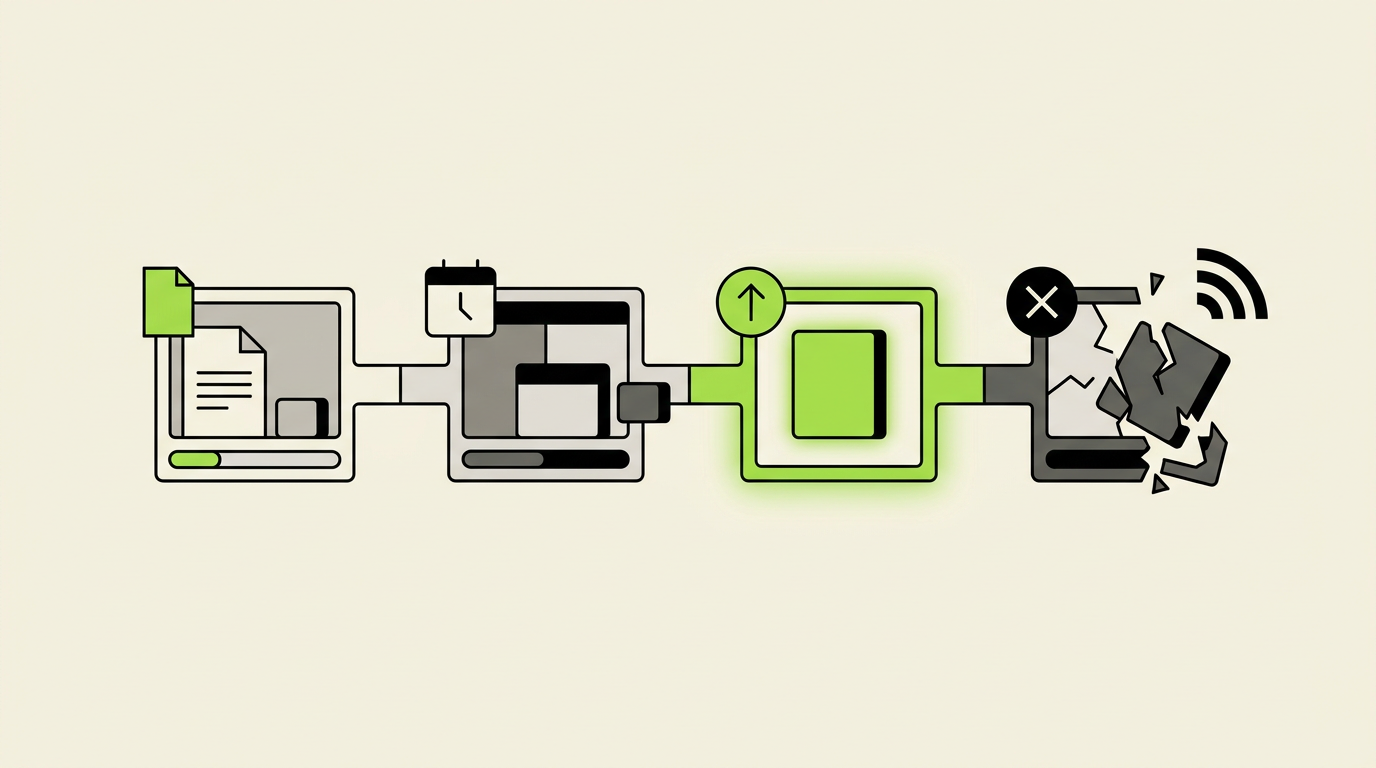
A boolean published field cannot represent a useful publishing workflow. Use explicit states with controlled transitions.
A new article can arrive as draft and wait for review. A scheduled article has passed validation and includes a future publishAt value. A published article has a live URL and publication timestamp. A failed article includes a machine-readable error code and a human-readable explanation.
Keep editorial approval separate from technical publication. An editor approving the warehouse guide means the content may be published. It does not mean the deployment succeeded.
Store revisions rather than replacing the body in place. When revision 3 introduces an invalid component, the team needs the option to inspect or restore revision 2. Revision history also helps explain why the live page differs from an older publishing request.
Define transition rules in application code. A failed record can return to scheduled after correction. A published record can receive a newer revision. A stale revision cannot overwrite a newer one merely because its request was delayed.
This is where many automated publishing systems become unreliable. They track generation as the final event and never confirm what the website served. A useful workflow ends with a renderable public URL and a status receipt.
Step 6: publish scheduled articles without relying on browser traffic
Do not publish scheduled content during a page request. A low-traffic site might not receive a visit near the scheduled time, and a busy site could trigger competing updates.
Use a server-side scheduler or queue worker. Every minute, it can claim records where the state is scheduled and publishAt is less than or equal to the current time. The claim must be atomic so two workers do not publish the same record simultaneously.
The worker changes the record to an intermediate processing state, performs any required build or cache action, checks the result, and then records either published or failed. If your hosting setup deploys static pages, publication may require a rebuild. If the page is rendered dynamically from a database, cache invalidation may be enough.
Set retry limits. Retrying a permanent validation problem every minute creates noise without fixing anything. Network timeouts can use exponential backoff, while an invalid canonical should fail immediately and wait for a corrected payload.
For the warehouse guide, the scheduler claimed the article at 13:00 UTC. The first cache purge timed out, so the worker retried. Because the operation used the article ID and revision as an idempotency key, the second attempt updated the same publication instead of creating a duplicate.
Step 7: render the article and structured metadata
The stored record is not the final result. Inspect the HTML returned by the public URL.
In Next.js, generate metadata from the same article record used to render the page. The title, description, canonical, Open Graph image, and robots instructions should not come from separate manual configuration files.
The article template should emit one visible H1, preserve heading order, render descriptive image alt text, and turn internal references into crawlable links. If the body contains Markdown links, test both relative and absolute URL handling.
Add structured data only when the visible page supports it. An article page may use properties documented in Schema.org's Article type, including the headline, image, author, and publication date. Do not insert an author or modification time that the page cannot substantiate.
After publication, request the final URL from a server-side verification job and confirm:
- The response is successful and returns HTML
- The HTML contains the expected title and canonical URL
- The page does not carry an accidental
noindexdirective - The main article body is present rather than a client-side error shell
- The featured image reference resolves
- The structured data can be parsed as JSON
This is one of only two additional checklists in the article because these checks belong together as a release gate. Passing the API request alone is not enough.
For more detail on maintaining quality before publication, use Rankdesk's guide to AI-assisted content research with competitor analysis. The publishing layer should preserve that research rather than flattening every article into a generic template.
How Rankdesk fits into an AI content publishing API workflow
A custom build still needs an upstream system to research, prepare, review, and send the article. Rankdesk covers that content workflow, while your API adapter enforces the rules of your application.
The sequence begins with research into the site, competitors, and target keywords. That produces an article or landing page for review rather than requiring the custom Next.js application to reproduce research and drafting logic.
Next, the content team reviews the article and confirms the publication details. For the warehouse inventory guide, that means approving the title, /resources/ destination, meta description, featured image, and 13:00 UTC publication time.
The Rankdesk connection then sends the approved article to the custom endpoint according to the payload contract you configured. The destination validates the request, stores the revision, and returns an accepted or rejected status.
At publication time, the Next.js worker makes the article live. The destination reports the resulting status and public URL, allowing the workflow to distinguish “content created” from “page published.” That feedback loop is the part teams often omit when they assemble generation, webhooks, and deployment scripts independently.
Review the Next.js integration for the supported platform path, or use the API integration when your storage and rendering model require a custom contract. Rankdesk's guide to automating SEO content creation also covers the broader process around planning and production.
The trade-off is ownership. A custom endpoint gives your team control over routes, validation, database structure, and deployment behavior. It also leaves your developers responsible for authentication, retries, monitoring, schema changes, and incident response. A native integration reduces that maintenance where its publishing model fits the site.
Publishing status callbacks and operational monitoring
Return a structured receipt from the initial API call. Include the destination's internal article ID, accepted revision, current status, and expected URL. Never include secrets or detailed stack traces.
An accepted response could look like this:
``json { "destinationId": "article_8421", "contentId": "rd_warehouse_inventory_001", "revision": 3, "status": "scheduled", "publicUrl": "https://example.com/resources/warehouse-inventory-guide", "publishAt": "2026-04-14T13:00:00Z" } ``
Because scheduled publication happens later, the initial response cannot prove that the page went live. Send a signed callback when status changes, or expose a status endpoint that the originating system can poll.
Use stable error codes such as INVALID_CANONICAL_HOST, STALE_REVISION, DUPLICATE_SLUG, and MEDIA_COPY_FAILED. Human messages can change. Monitoring and retry logic should depend on stable codes.
Track request ID, content ID, revision, destination ID, response status, processing duration, and final URL in logs. Avoid recording full article bodies by default. They make logs expensive and can expose unpublished material.
Set alerts for repeated authentication failures, a growing queue of overdue scheduled articles, unusual rates of 500 responses, and published records whose URLs fail verification. A single rejected article may need editorial correction. Fifty overdue articles usually indicate a system problem.
Common AI content publishing API mistakes
The first common mistake is treating delivery as publication. A 202 Accepted response means the destination took responsibility for processing the request. It does not mean the article is visible or indexable.
The second is letting the sender control every URL field. Your destination should verify the hostname and reconstruct expected routes. Otherwise, a configuration error can create canonicals pointing to staging, alternate hosts, or nonexistent folders.
The third is overwriting newer edits. Network requests can arrive out of order. Revision checks prevent a delayed automatic request from replacing a correction made by an editor five minutes later.
The fourth is coupling publishing to a full site deployment without monitoring. Static generation can be appropriate, but a failed build should put the article in a failed state rather than leaving it marked as published.
The fifth is trusting images because their URLs load during review. Copy approved images into controlled storage or confirm that the source provides durable URLs.
The sixth is publishing hundreds of near-identical landing pages because the API makes it technically easy. Programmatic pages still need distinct search intent, useful local or product data, stable templates, and internal links. Automation increases throughput. It also increases the size of a bad decision.
If the goal includes earning citations from ChatGPT and other AI assistants, reliable publication is only the delivery layer. Pages still need clear claims, accessible evidence, consistent entities, and crawlable text. Rankdesk explains that broader work in its guide on how to get mentioned by ChatGPT.
AI content publishing API FAQ
Can an AI content publishing API publish directly to Next.js?
Yes. Create a protected server-side route that accepts the article payload, validates it, and stores it in the data source used by Next.js. Depending on the site's rendering model, publication may then trigger cache revalidation, a static build, or an immediate database-backed page update.
Should the API send Markdown, HTML, or structured blocks?
Use the format your application can validate and render predictably. Markdown is portable and easy to inspect, but complex components need an extension strategy. HTML offers more layout control but requires strict sanitization. Structured blocks work well for component-driven sites, although they create a tighter contract between the sender and frontend.
How do I stop duplicate articles from being published?
Require a stable content ID, unique destination slug, revision number, and idempotency key. If the same request is retried, return the existing result. If an older revision arrives after a newer one, reject it with a conflict response.
Should Rankdesk or the custom stack create the canonical URL?
The content workflow can send the intended canonical, but the destination should validate it against its own hostname and route rules. The custom stack is the authority on which URLs it can actually serve.
Can I schedule articles through the publishing API?
Yes. Accept an explicit UTC timestamp, save the article as scheduled, and use a server-side worker to publish it. Do not depend on an editor's browser, site traffic, or a long-running request staying open until the publication time.
What happens if an article publishes but the page is broken?
Run a post-publication request against the public URL. If the title, canonical, body, or indexing directives are wrong, change the status to failed or verification failed and notify the responsible team. Keep the accepted, deployed, and verified events separate.
Is a custom API better than a native CMS integration?
A custom API is useful when the site has proprietary routing, storage, approval, or deployment requirements. A native integration is easier to maintain when its content model fits. Choose based on the application contract your team needs, not on the amount of code you can write quickly.
If you want a more consistent way to research, prepare, and send search-focused articles into this workflow, see how Rankdesk works. It creates articles and landing pages you can review or publish automatically, while your custom stack keeps control of validation, scheduling, and final delivery.
Want articles like this on your site?
Rankdesk plans, writes and publishes SEO content for you. Start free and generate your first 3 articles.